





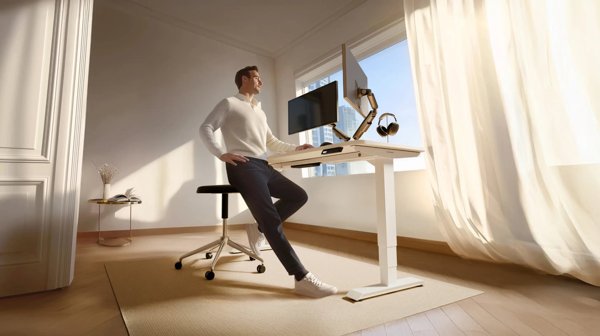
Sitting all day at a fixed desk is something many home workers want to change, and an electric standing desk is one of the simplest upgrades. German brand Desktronic sells its desks directly through desktronic.de, and its range is small enough to compare properly: three complete desks, two frames for your own tabletop, and accessories such as a cable tray.
This guide explains what you get at each price point, based on the product descriptions on desktronic.de, checked on 4 November 2026. Prices are in euros and include the reductions shown that day.
View Desktronic Standing Desks
Contents
The Range at a Glance
| Model | Legs / motors | Control panel | Price (EUR) |
|---|---|---|---|
| HomeOne | 2 legs, dual motor | 3 memory presets, USB and USB-C | 299 (was 379) |
| HomePro | 2 legs, dual motor, 3-stage columns | Touchscreen, 3 memory presets, USB-A and USB-C | 399 (was 499) |
| HomeMax | 4 legs, four motors | Ambient light; magnetic cable channel included | 849 (was 999) |
| HomeOne frame only | 2 legs | As HomeOne | 249 |
| HomePro frame only | 2 legs | As HomePro | 329 |
HomeOne: The Best-Seller
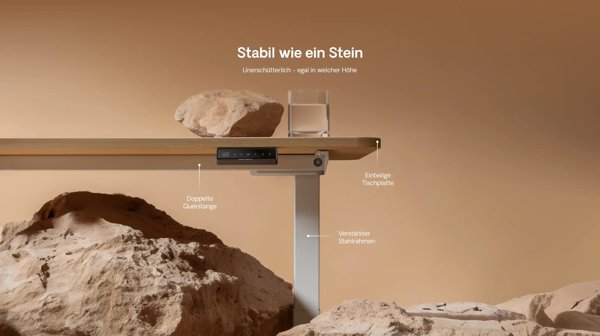
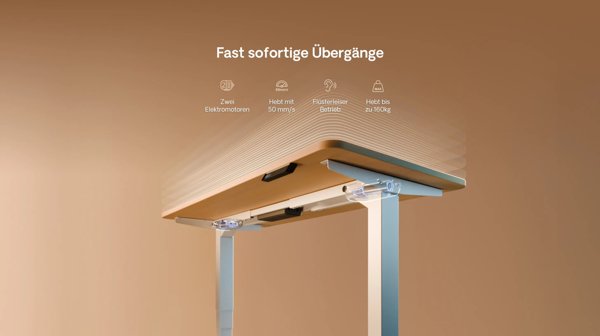
Desktronic calls the HomeOne its best-selling height-adjustable desk. According to the brand, it uses a dual-motor system for fast, smooth and quiet height changes and a specially reinforced steel frame for stability. The control panel stores three height positions, so you can jump between sitting and standing with one press, and it includes USB and USB-C ports for charging devices.
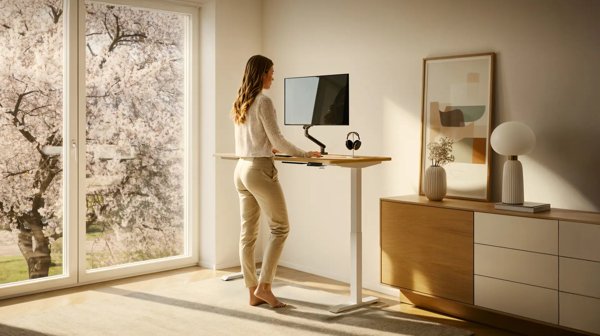

The desk comes with a pre-drilled one-piece tabletop of your choice, and tools are included in the box. At EUR 299 on the day we checked, it is the entry point to the range and will suit most people who simply want to alternate between sitting and standing.
HomePro: More Height Range
The HomePro is Desktronic’s most advanced two-leg desk. Its key difference is a three-stage column design. Desktronic says this allows a particularly low and particularly high position, making the desk suitable for very short and very tall users. If you are well above or below average height, this is the model to look at first.
It also swaps the HomeOne’s buttons for a touchscreen with three memory slots, keeps USB-A and USB-C charging, and, according to the brand, stays rock-solid even with large tabletops at the highest positions. It costs EUR 100 more than the HomeOne.
HomeMax: The Four-Leg Flagship
The HomeMax is a different kind of desk. Instead of two legs, it stands on four, driven by four very quiet motors, according to Desktronic. The brand describes a light silhouette with rounded corners and soft ambient lighting. A magnetic cable channel and double hooks are included, items that Desktronic says are usually sold separately.
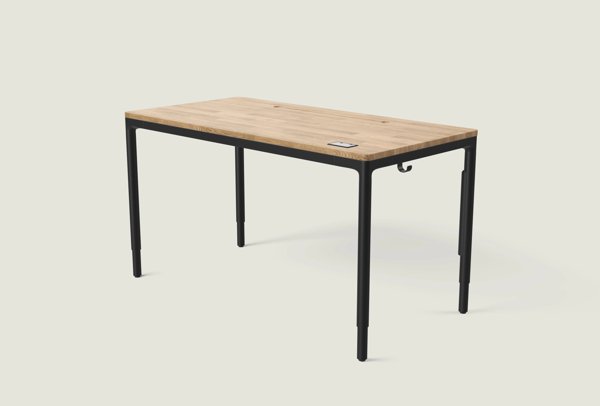

You can choose compact or solid-wood surfaces. At EUR 849 it costs more than twice as much as the HomePro, so it is aimed at people who want a statement piece, maximum stability or a design-led home office.
Frame Only: Use Your Own Tabletop
If you already own a good tabletop, or want an unusual size or material, Desktronic sells the HomeOne and HomePro frames on their own for EUR 249 and EUR 329. The brand says the frames are extendable, so they can be fitted to almost any tabletop in a few minutes. Check the frame’s size range and the weight of your top before ordering.
Keeping Cables Tidy
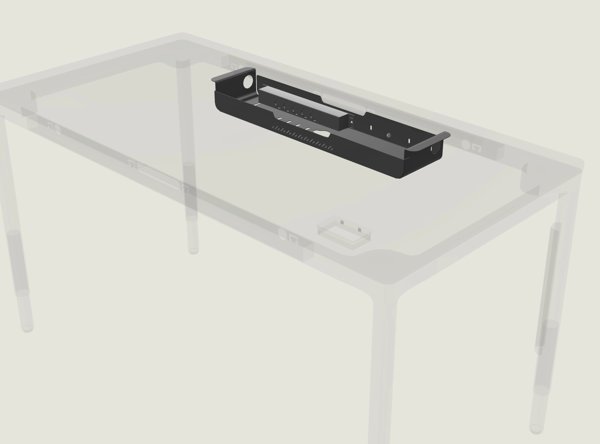
A desk that moves up and down needs cables with enough slack, otherwise plugs get pulled out. Desktronic’s Kabelkanal Pro (EUR 99, was EUR 129) is an under-desk tray with an integrated power strip. The brand says it arrives pre-assembled, screws under the desk and has a magnetic front cover for easy access, plus ventilation cut-outs.

How to Choose
- Most users: HomeOne gives dual motors, memory presets and USB charging at the lowest price.
- Very tall or short users: HomePro, for its wider height range.
- Design and stability first: HomeMax, if the budget allows.
- Existing tabletop: one of the frames.
- Lots of devices: add a cable tray whatever desk you choose.
Tips for Using a Standing Desk
Owning a standing desk does not mean standing all day. Most ergonomics advice suggests changing position regularly rather than standing for hours. Set your sitting and standing heights so your elbows are at roughly 90 degrees and your screen is at eye level, then save them as presets so switching takes a second. A cushioned mat can make standing more comfortable on hard floors.
Before you order, measure the space: a desk at standing height needs clearance for the screen and anything on shelves above. Also check whether the tabletop size you choose fits through your door and stairs.
Questions to Ask Before Buying
- What is the lowest and highest height, and do they suit both your seated and standing posture?
- How large and heavy will the tabletop be, and is it within the frame’s limits?
- How many monitors and other devices will sit on the desk, and how will their cables move with it?
- Do you need memory presets, or will you only use one or two positions?
- Is a two-leg design stable enough for how you work, or would a four-leg desk be better?
Answering these questions first makes it much easier to decide whether the extra cost of a HomePro or HomeMax is worth it for you, or whether the HomeOne already does everything you need. It also helps you avoid ordering a tabletop that is too big for the room.
Final Thoughts
Desktronic keeps its range simple. The HomeOne covers most needs, the HomePro adds height range and a touchscreen, and the HomeMax is the premium four-leg option. Browse the standing desks and the Desktronic accessories to build the setup that suits you.
Disclaimer: This article contains affiliate links. We may earn a commission if you buy through them, at no extra cost to you. Product details and prices come from desktronic.de and were checked on 4 November 2026; they may change.


